
Video recorders receive, store and organize surveillance video so users can search events, review evidence and monitor live cameras. The two primary families are network video recorders for IP cameras and digital or hybrid video recorders for coax-based and mixed systems. Recorder sizing requires more than matching the number of camera inputs.
Verify camera technology and channel count first, then compare supported resolution, incoming bandwidth, codec support, PoE ports, hard-drive capacity, drive bays, retention requirements, display outputs, remote access and analytics compatibility.


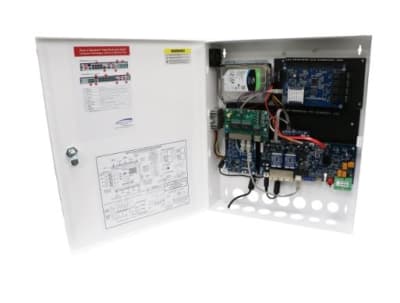
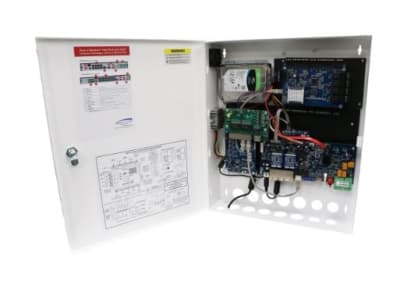


NVRs record network streams from IP cameras. DVRs accept analog or HD-over-coax camera signals and encode them at the recorder. Hybrid or XVR-style platforms may accept several camera technologies, making them useful for phased upgrades where existing coax remains in service.
A recorder may advertise a certain number of channels but still have an aggregate incoming bandwidth limit. High-resolution, high-frame-rate cameras consume more throughput. Check both channel count and bandwidth, especially when using 4K cameras or many streams at high quality.
Retention depends on bitrate, camera count, recording schedule and number of days stored. Variable bitrate, motion recording and modern codecs can reduce storage, but actual scenes matter. Critical applications should size storage from conservative assumptions and include margin.
Surveillance recorders often use purpose-built hard drives rated for continuous workloads. Multi-drive systems may support RAID or other redundancy features, but redundancy is not the same as backup. Determine whether the application requires fault tolerance, export procedures or off-site copies.
Consider monitor outputs, simultaneous playback, mobile or browser access, user permissions and remote bandwidth. Remote-access features should be configured securely; avoid exposing recorder interfaces directly to the internet when a safer vendor or VPN method is available.
Confirm supported video standards, camera resolution, codec, audio, PTZ control and event/analytic features. IP systems may support basic third-party streaming yet lose advanced functions, so validate the exact camera/recorder combination for features that matter.
A practical recorder selection starts with the final camera schedule. Record each camera’s resolution, target frame rate, expected bitrate and recording mode, then total the incoming bandwidth and storage requirement. Add capacity for future cameras and avoid designing the system so every performance limit is consumed on day one. The same process reveals whether a smaller recorder with more storage or a larger recorder with greater throughput is the better fit.
For everyday use, search speed, timeline navigation, event filtering and evidence export can matter more than a long feature list. Facilities with multiple users should review role-based permissions and audit logs. Sites with critical evidence requirements may also need redundant storage, health monitoring, NTP time synchronization and procedures for preserving exported video with consistent timestamps.
Recorders should make it obvious when a camera, hard drive or network link has failed. Review email or push alerts, disk-health monitoring, camera-loss alarms and storage-overwrite behavior. A recorder can appear normal while one drive is degraded or several cameras have stopped recording. For important facilities, establish a routine test that confirms recent playback, correct time, export capability and enough free storage to maintain the expected retention window.
For a replacement or new installation, send Wallco the equipment model, system type, electrical or network requirements, installation environment and any compatibility constraints. The more application detail provided, the easier it is to narrow the correct product family and avoid a physically similar but incompatible part.
