
USB cables and adapters connect computers, printers, test instruments, control equipment, storage devices, charging sources and other peripherals for data transfer, device communication and power. Wallco's assortment includes USB Type-A, Type-B, Mini-B, Micro-B and USB Type-C connector combinations, along with extension cables, active extension products, power cables and physical interface adapters.
The connector shape alone does not define what a USB connection can do. Products with similar connectors may differ in supported USB generation, data rate, charging capability, USB Power Delivery support and cable construction. USB Type-C is a reversible connector system, but a USB-C cable may support anything from USB 2.0 data to higher-speed USB operation, and power capability also varies by cable.
For a reliable match, identify the connector on each device, required data performance, charging or power requirements, cable length and whether the application needs a passive cable, active extension or adapter. Older Mini and Micro USB interfaces remain common on legacy electronics and industrial equipment, so physical connector identification is especially important when replacing an existing cable.


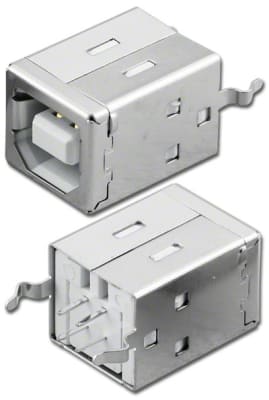


Start with the physical connector at both ends. USB Type-A is common on host equipment and chargers, while Type-B is widely used on printers, instruments and other peripherals. Mini-B and Micro-B appear on many older portable and embedded devices. USB Type-C uses a reversible connector and can be used on hosts, peripherals and power sources.
Next, verify the required USB performance. A connector type and a USB data specification are separate characteristics. USB 2.0, USB 3.2 and newer USB implementations can use different cable constructions, and simply fitting the port does not guarantee the required transfer rate. When replacing an existing cable, match both the connector and the performance required by the equipment.
USB-C does not automatically mean high-speed data, video support or high-power charging. USB-IF requires compliant USB-C to USB-C cables to identify supported power capability, and higher-performance certified cables are also identified by supported data rate. USB Power Delivery can provide substantially more power than traditional USB charging, but the source, cable and connected device must all support the required capability.
For USB-C applications, confirm the required data rate and power level instead of selecting only by connector shape. If the connection is used for display output or another alternate-mode function, verify that the cable and both connected devices specifically support that function.
Longer USB runs can require active extension or repeater technology rather than a simple passive cable. An adapter can change connector format or gender, but an adapter does not by itself convert an incompatible protocol or add data, charging or video capability that the connected equipment does not support.
When maintaining older equipment, note the exact Mini or Micro connector variant, orientation and mating interface. Similar-looking legacy USB connectors are not interchangeable, and industrial or embedded equipment may remain in service long after the connector has disappeared from current consumer devices.
