
Shop DIN and Mini-DIN cable assemblies for computers, keyboards, mice, audio/video equipment and legacy peripheral connections. Wallco offers multiple pin-count configurations, extension cables and male-to-male or male-to-female assemblies for compatible equipment.
Compare cables by connector style, pin count, connector gender, wiring configuration, cable length and equipment requirements.

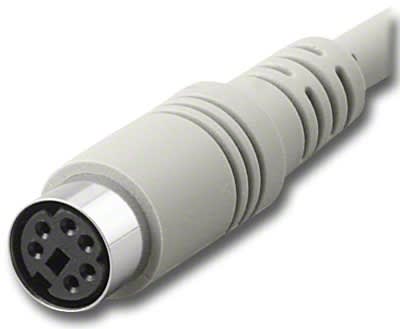


DIN and Mini-DIN cable assemblies have been used with computers, keyboards, mice, audio equipment, video equipment and specialized electronic systems for decades. Because several connector sizes and contact arrangements exist, the exact connector and pin count should be identified before selecting a cable.
Standard DIN connectors are available in several contact counts and mechanical arrangements. Five-pin DIN connections are especially familiar in audio and legacy computer applications, but other pin counts are also used for control, equipment and specialty interfaces.
Mini-DIN connectors provide a smaller circular interface and have been widely used with computer peripherals and audio/video equipment. Common applications include keyboards, mice, S-Video equipment and older computer systems.
DIN and Mini-DIN cables may use different numbers of contacts depending on the equipment. A cable with the wrong pin count will not provide the correct physical connection, and connectors with the same number of contacts may still use different arrangements or wiring.
DIN and Mini-DIN extension cables provide additional distance between compatible devices while maintaining the same general interface. Verify whether the application requires male-to-female or another connector-gender arrangement before ordering.
DIN and Mini-DIN connections remain important for maintaining older computers, keyboards, mice, Macintosh equipment, KVM systems and specialized industrial hardware. Replacement cables can help preserve equipment that continues to operate reliably with its original interfaces.
Certain DIN and Mini-DIN formats are also associated with analog audio and video equipment. Physical connector compatibility does not establish the signal type, so the equipment documentation should be checked when replacing a cable.
Cable assemblies may use male-to-male, male-to-female or other connector combinations. Identify both equipment connections before choosing a cable, particularly when the assembly is intended as an extension rather than a direct interconnect.
Identify whether the connection uses standard DIN or Mini-DIN, then confirm the number and arrangement of contacts, connector gender at each end and required cable length. When replacing an existing cable, compare both connectors and the intended equipment function.
