
Video cable assemblies carry picture signals between sources, displays, switchers, converters, cameras, recorders and other AV equipment. The category spans modern digital interfaces and legacy analog formats, so the correct cable depends on the native ports, signal standard, resolution, refresh rate, distance and whether audio or control data must travel with the video.
Wallco organizes this family into more specific formats such as HDMI, DVI and DisplayPort cables, VGA cables, component video cables, composite video cables and coaxial video assemblies. Selecting the native format whenever possible avoids unnecessary conversion and usually provides the most predictable performance.
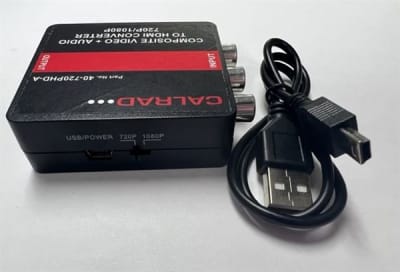
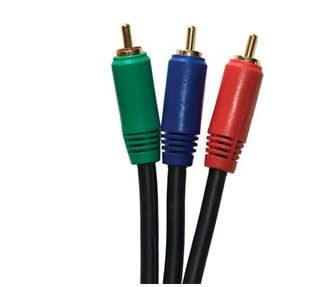
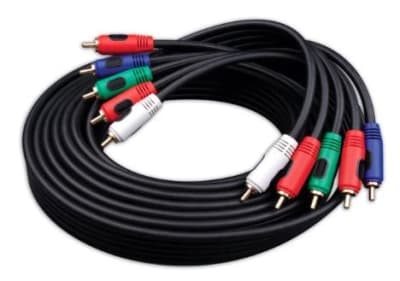

HDMI, DisplayPort and many DVI configurations transmit digital video, while VGA, component and composite video are analog. Digital links either maintain data integrity or begin showing errors when the signal margin becomes inadequate, whereas analog links can degrade gradually with softness, ghosting or noise. Do not assume a passive cable can bridge a digital interface to an analog one.
Higher resolutions, refresh rates, color depths and advanced features require greater bandwidth. Cable quality and length therefore matter more as signal rate increases. For long digital runs, active copper, optical or extender technologies may be more reliable than an unusually long passive cable.
Some active or optical video cables are directional and must be installed with the source and display ends oriented correctly. Connector gender, locking features, full-size versus mini variants and adapter requirements should be confirmed before installation, especially in conduit or behind fixed displays.
Industrial controls, older projectors, broadcast equipment and installed AV systems may still rely on VGA, component, composite or coaxial video. Replacement projects should preserve the actual signal format rather than selecting by connector shape alone. Some interfaces use similar connectors for electrically different signals.
Start with the exact source and display ports, then determine resolution, refresh rate, distance and required features. If conversion is necessary, identify whether an active converter is required. For permanent installation, also consider fire rating, connector clearance, pathway size and serviceability after walls or equipment racks are closed.
A cable transports a compatible signal; it does not necessarily convert one video standard into another. Passive adapters work only where the source and destination support compatible electrical signaling. When moving between analog and digital formats, or between interfaces without native protocol compatibility, an active converter, scaler or extender may be required in addition to the cable.
Before ordering video cable assemblies, record the equipment interfaces at both ends, the required electrical or signal standard, cable length, installation environment and any existing part number or cable marking. For replacements, matching only the connector can be misleading; confirm the underlying signal type, impedance, conductor configuration, performance rating and environmental requirements. Providing those details helps Wallco narrow the correct product and avoid compatibility problems.
Cable performance is a system issue: the source, destination, connectors, cable construction, length and installation conditions all contribute to the result. A cable that physically fits is not automatically electrically compatible, and a higher advertised category or bandwidth does not correct a mismatched interface. When in doubt, start with the equipment manufacturer specifications and choose a cable assembly or bulk cable that explicitly supports those requirements.
Wallco can help compare cable construction, connectors, ratings and application requirements when you are selecting a new installation product or replacing an existing cable. If available, provide the connected equipment models, existing cable markings, required length and installation environment so the options can be narrowed accurately.
