
Shop network equipment for connecting devices, extending network links and supporting copper and fiber Ethernet infrastructure. Wallco offers networking hardware for commercial, industrial and structured-cabling applications.
Browse Ethernet switches, media converters, optical transceiver modules, Ethernet extension equipment and related networking products as available. Select the equipment category that matches the connection type, network speed and application requirements of your installation.


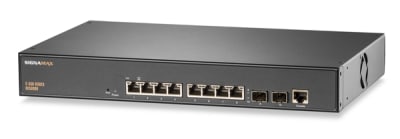

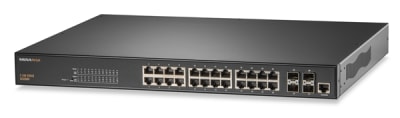
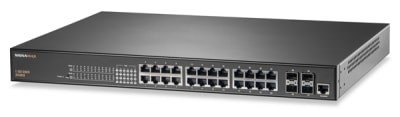


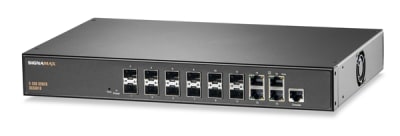


Network equipment provides the active connection points that allow devices, cabling systems and network segments to communicate. Depending on the application, this equipment may be used to connect multiple Ethernet devices, convert communications between copper and fiber media, extend network connections beyond normal copper-distance limitations, or provide optical interfaces for switches and other networking hardware.
Wallco's Network Equipment category brings these active networking products together under a reusable product structure rather than limiting them to individual manufacturer categories. As products are classified into the new architecture, this category may include Ethernet switches, media converters, SFP and other optical transceiver modules, Ethernet extenders and related networking hardware supported by the Wallco catalog.
Network hardware should be selected as part of the complete communications path. A device may provide the correct number of ports yet still be unsuitable if its network speed, media type, optical interface, power requirements or operating environment do not match the rest of the installation.
Before selecting network equipment, identify the interfaces on both ends of the connection and determine how the network signal must travel between them.
A common use for network equipment is connecting copper Ethernet devices to fiber optic infrastructure. Fiber may be used where longer transmission distances, existing optical backbones or the requirements of the installation make a direct copper connection impractical.
A media converter or appropriately equipped Ethernet switch can provide the transition between copper and fiber network media. When designing this type of connection, the network equipment, transceiver modules and fiber cabling should be considered together.
Matching only the physical connector is not sufficient. The equipment on each end should also be compatible with the network speed, fiber mode, optical wavelength and required transmission distance.
Ethernet switches are commonly used when multiple network devices must communicate through a shared network infrastructure. Port count, network speed and uplink requirements are important considerations when choosing a switch.
Applications that include both copper and fiber infrastructure may require switches with dedicated optical interfaces or modular transceiver slots. In other cases, a separate media converter may provide the required transition between the two cabling systems.
When expanding an existing network, review the capabilities of the installed equipment before selecting replacement or additional hardware. Maintaining compatible network speeds and interfaces helps avoid unnecessary bottlenecks or connection problems.
Optical transceiver modules provide the interface between compatible network equipment and fiber optic cabling. These modules are often removable, allowing the network interface to be selected according to the requirements of a particular fiber link.
Important specifications can include supported data rate, fiber type, optical wavelength, connector interface and maximum transmission distance. The transceiver must also be compatible with the network device in which it will be installed.
When replacing an existing module, comparing the complete specifications of the original transceiver can help identify an appropriate replacement rather than relying only on physical appearance or connector style.
Products within this category may be used in applications such as:
Network components often depend on one another, particularly when fiber interfaces or removable transceiver modules are involved. Before ordering equipment, verify the specifications of the existing switch, converter, transceiver, cabling and connected devices to make sure the complete network path is compatible.
For fiber applications, review both ends of the optical connection. Fiber type, connector format, wavelength, network speed and link distance should all be considered when selecting equipment or replacement components.
