
HDMI Switches HDMI switches allow multiple HDMI sources to share one display or downstream HDMI path by selecting which input is active.
Wallco organizes this category around the way installers, integrators, technicians and end users actually select these products, so it is easier to compare the right type of solution without mixing unrelated AV hardware.


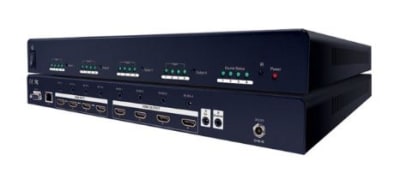
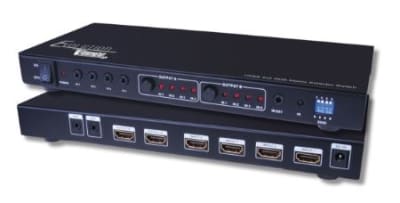


HDMI switches allow multiple HDMI sources to share one display or downstream HDMI path by selecting which input is active. The important point is that products in this category share the same core function, even though individual models may differ in connector style, installation method, signal capability, packaging, or performance. That makes hdmi switches a useful product family for navigation rather than merely a specification filter.
Start by identifying the system function and the equipment on both sides of the connection. Then compare the details that can affect compatibility and real-world performance. Key selection factors include number of inputs; HDMI version/features; maximum resolution and refresh rate; HDR formats; HDCP support; audio formats; auto-switching; remote control; EDID handling; ARC/eARC needs. These details matter because an AV product can look mechanically compatible while still being wrong for the signal, bandwidth, wiring method, installation environment, or control scheme.
When replacing an existing device, record the original connector types, signal standard, number of ports, mounting method, cable type, power requirements, and any published frequency, bandwidth, distance, impedance, or load information before choosing a replacement. Matching only the visible connector can lead to intermittent operation, reduced resolution, excessive loss, control failures, hum, reflections, or no signal at all.
Products commonly encountered in this category include 2-port, 3-port, 4-port and higher-input HDMI source selectors. The best configuration depends on the system architecture rather than on a single headline specification. For example, port count may determine physical capacity, while signal format or wiring method determines whether the product can perform the required function.
HDMI Switches are used for conference rooms, home theater, digital signage, training rooms, control desks, test benches, and any installation with more HDMI sources than display inputs. Commercial installations often place a premium on serviceability, predictable performance, labeling, durable mounting, and compatibility with structured cabling or rack systems. Residential and retrofit installations may place more emphasis on appearance, compact form factor, simple controls, and working with existing cabling.
Before installation, verify the complete signal path from source to destination. That means checking not only the device being purchased, but also the cable, connector gender, upstream source, downstream display or load, control method, power supply, and any intermediate adapters. For active AV devices, confirm supported formats, resolution or bandwidth, copy-protection requirements where applicable, and whether firmware or EDID behavior can affect interoperability.
Physical installation also matters. Allow enough depth for connectors and cable bend radius, avoid excessive strain on jacks and circuit boards, and use mounting hardware appropriate for the wall, rack, panel, enclosure, or structure. Where equipment will be exposed to heat, moisture, vibration, outdoor conditions, or electromagnetic interference, choose products specifically rated for that environment.
An HDMI switch selects one of several sources for one output. HDMI Matrix Switchers route multiple inputs independently to multiple outputs. Keeping these functions separated in the catalog makes navigation clearer and helps prevent a specification or accessory from being mistaken for an entirely different type of product.
This category is intentionally broad enough to include products from multiple manufacturers. Individual manufacturers may use different series names, connector layouts, control methods, accessories, or performance ratings, so the product datasheet remains the final authority for a specific installation. Wallco's category structure is designed to help narrow the field to the correct product family first; detailed product attributes and future drill-down filters can then be used to refine the selection without creating dozens of redundant navigation pages.
If you are replacing an existing part or building a new AV system, compare the application requirements before selecting by price or appearance alone. Having the source model, destination equipment, cable type, connector information, distance, and required signal format available will make it much easier to identify a compatible solution.
