
Component video cables carry analog video as separate component signals, most commonly Y/Pb/Pr over three color-coded RCA connections. They remain important in legacy AV systems, professional equipment, test environments and installations where existing component-video hardware must be maintained or replaced. Cable quality, shielding, connector fit, length and the exact signal format all affect whether a replacement performs reliably.
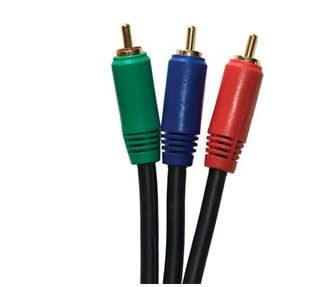
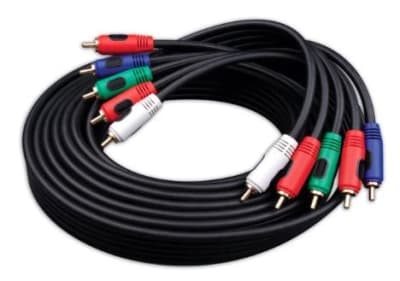

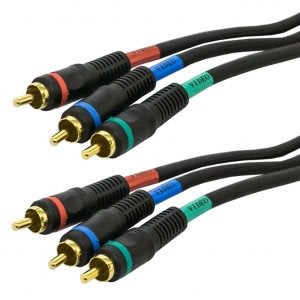
Component video separates picture information across multiple conductors instead of combining it onto one path. In the common Y/Pb/Pr format, the Y channel carries luma and synchronization information while Pb and Pr carry color-difference information. Keeping these signals separate can preserve more picture detail than composite video, but all three paths must be connected correctly for a complete image.
Component video is analog. It should not be confused with RGBHV, VGA, SDI or digital HDMI/DVI even when resolutions overlap. Equipment labeling is the safest guide because connectors alone do not define the signaling method.
Match the connector type at both ends, required length and installation environment first. Most consumer and commercial Y/Pb/Pr connections use three RCA plugs, but BNC-terminated component assemblies also appear in professional gear. For rack or fixed installations, strain relief, connector retention and cable flexibility can matter as much as nominal bandwidth.
Use a cable intended for video-frequency signals rather than substituting arbitrary audio patch leads for long or demanding runs. Consistent impedance, effective shielding and uniform construction across the three channels help reduce ghosting, softness, color errors and interference.
As analog cable length increases, high-frequency loss and reflections can soften detail or create visible artifacts. The practical maximum run depends on source output, display input, cable construction, routing and the resolution being carried. Short equipment-rack links are usually forgiving; longer building runs deserve closer attention to cable type and routing.
Keep component video away from sources of strong electromagnetic noise where practical, avoid tight bends or crushed cable, and preserve connector integrity. If a long run produces unstable or visibly degraded video, distribution amplifiers, baluns or a migration to a suitable digital transport system may be more appropriate than simply using a longer passive lead.
Composite video combines picture information onto one conductor and is generally the lowest-bandwidth of these legacy analog formats. S-Video separates luma and chroma but still carries less separated information than three-channel component video. Component video can therefore be the preferred analog choice when compatible equipment provides it.
HDMI and other digital interfaces transmit encoded digital video and often audio/control data as well. A passive RCA-to-HDMI cable does not convert component video into HDMI; conversion normally requires active electronics that understand the source and destination formats.
Component video assemblies are still encountered in legacy displays, projectors, broadcast/production equipment, AV switchers, medical or industrial displays, test benches and installed systems that have not migrated to HDMI or IP-based video. Replacement projects should preserve the original signal format and connector scheme rather than assuming that a visually similar connector is interchangeable.
When replacing an existing cable, note the number and color of connectors, labels at both endpoints, cable length, equipment models and whether audio uses separate leads. Those details make it much easier to select a functionally correct assembly.
Before ordering, document whether the system is Y/Pb/Pr component video or another three-channel analog format, the connector at each end, required length, resolution in use and whether the original assembly uses RCA or BNC terminations. If the cable is routed through walls, racks or equipment arms, also note flexibility, jacket and pathway requirements. For troubleshooting, identify whether the fault follows one color channel, all three channels or the display input; a single loose conductor can create strong color shifts that look like a display problem.
No. Y/Pb/Pr component video carries video only; analog or digital audio normally uses separate connections.
A complete Y/Pb/Pr link requires all three video channels. A purpose-built three-channel assembly keeps routing and electrical characteristics consistent.
Usually not. Component video is analog and HDMI is digital, so active conversion is normally required.
Wallco can help match connector type, electrical or optical requirements, cable length and installation conditions to the application. When possible, provide the equipment manufacturer/model, existing connector information and required run length.
